

Activating BuhoBarX
You can try the full version of BuhoBarX free for 7 days. When the free trial expires, you’ll need to purchase a license to continue using it.
How to Activate BuhoBarX
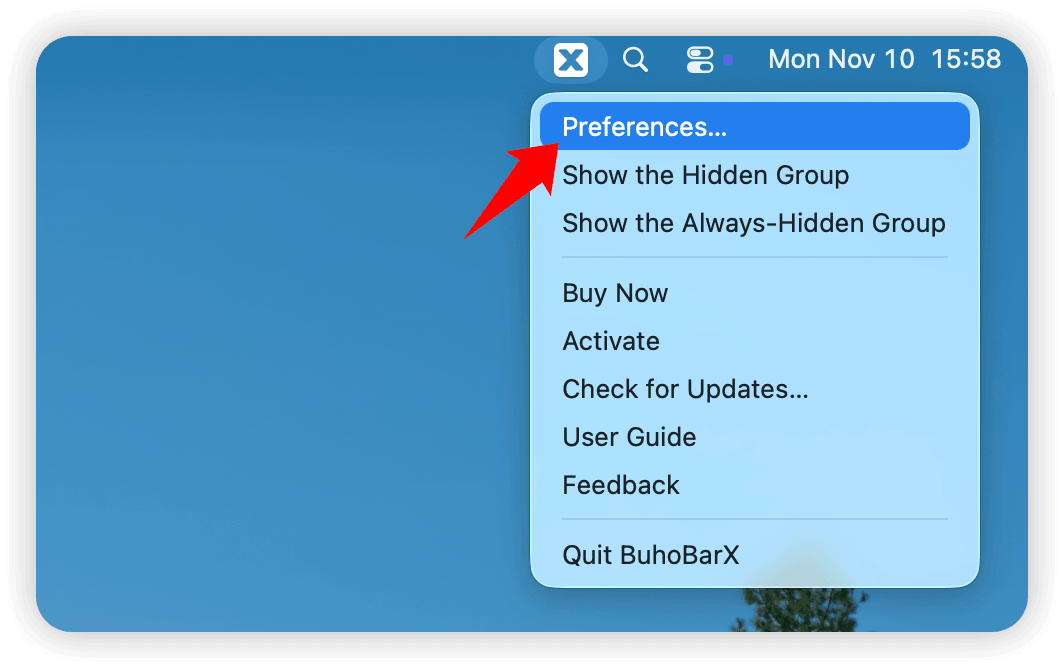
- Right-click the BuhoBarX icon in the menu bar, then select Preferences.
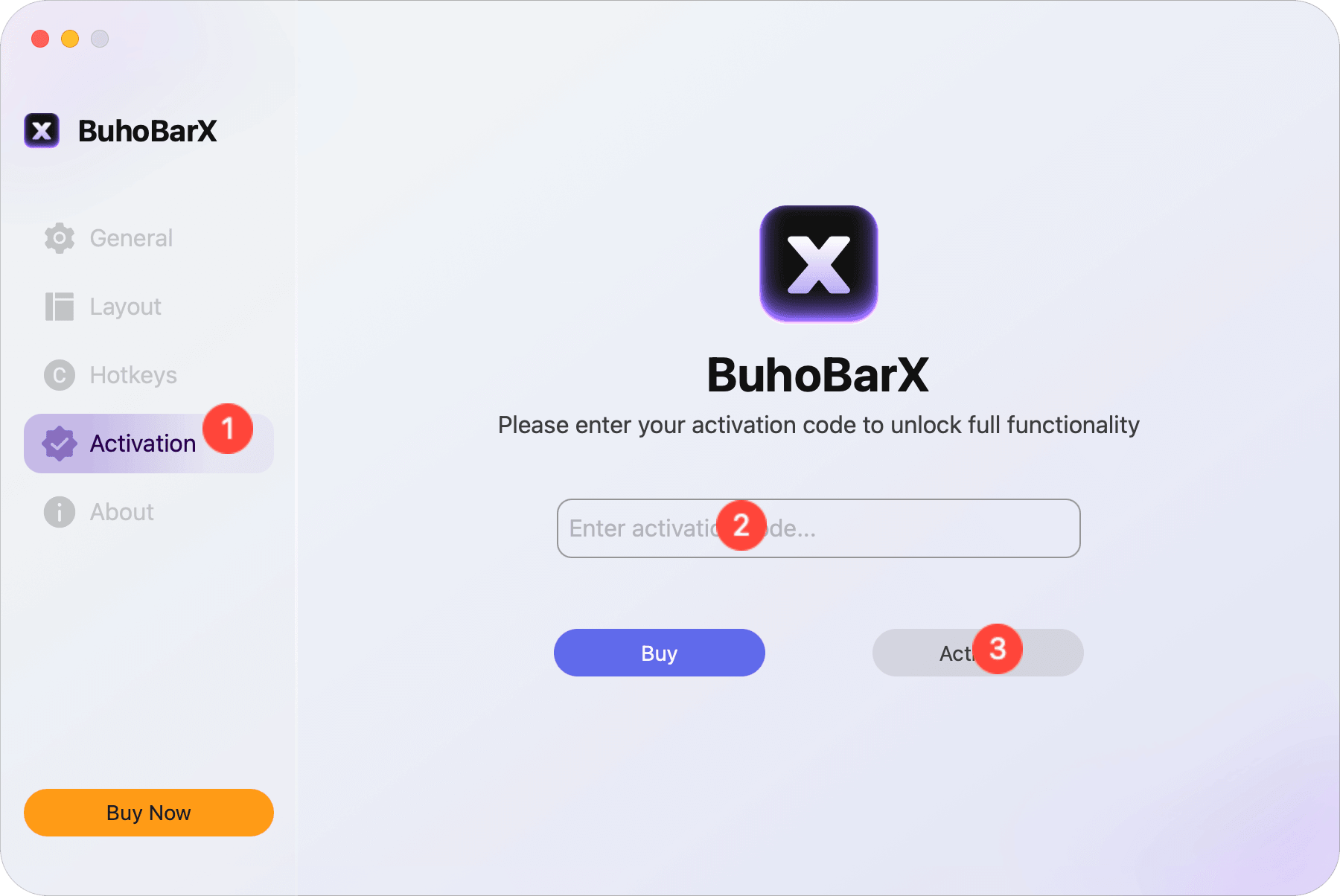
- Go to the Activation tab.
- If you already have an activation code, copy and paste it into the box, then click Activate.
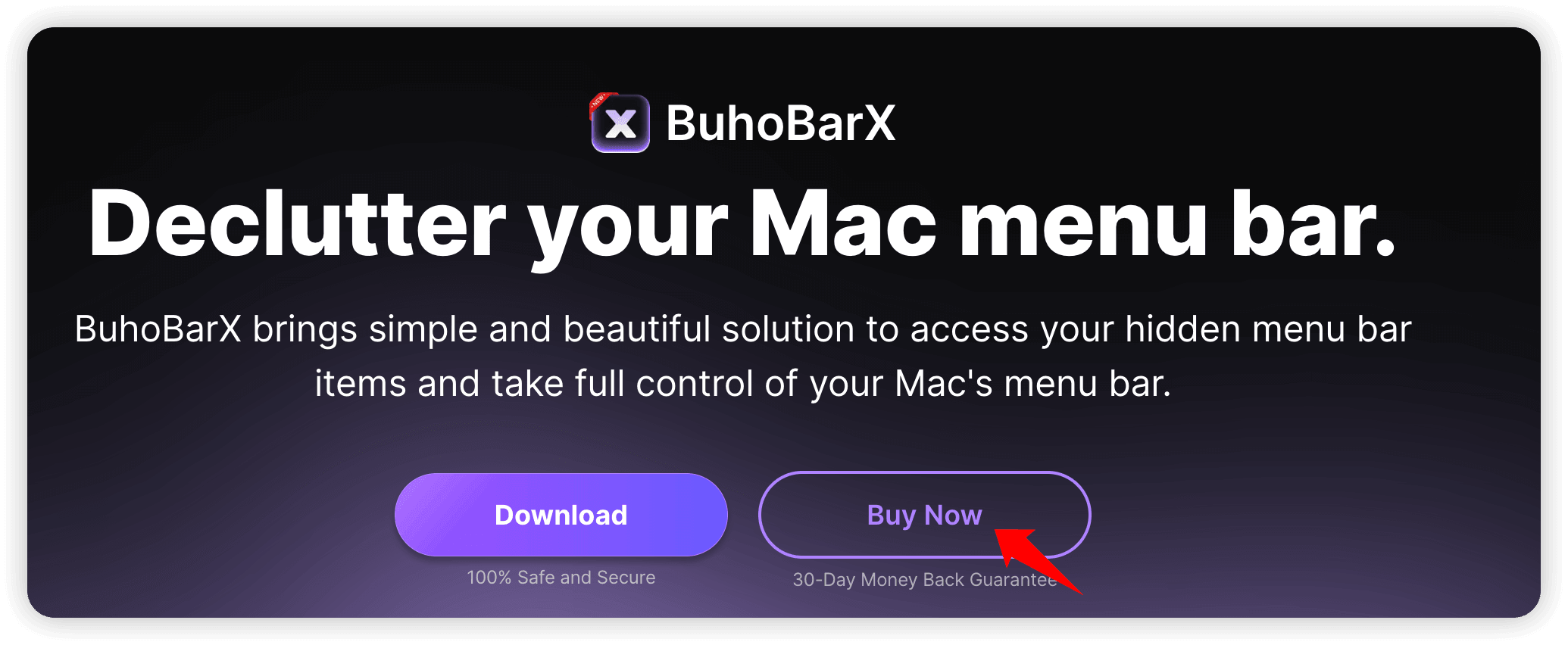
- If you don’t have one, click the Buy button — you’ll be redirected to the official BuhoBarX page.
- Click Buy Now, then complete the payment process.
- After purchase, you’ll receive an email from Paddle containing your license code.
- Copy your license code from the email, paste it into the activation box in BuhoBarX, and click Activate.



What to Do if You Can’t Activate BuhoBarX
If you see a message saying that BuhoBarX couldn’t be activated, double-check that the activation code you entered is correct. Typing the code manually may cause errors — we recommend copying and pasting it directly.
Still unable to activate BuhoBarX? Contact us at support@drbuho.com, and we’ll get back to you within 24 hours.