Adjusting Menu Bar Spacing
If you want to display more icons in the menu bar but don’t have enough space, it’s recommended to adjust the spacing between menu bar items. BuhoBarX lets you do this with just one click. Here’s how:
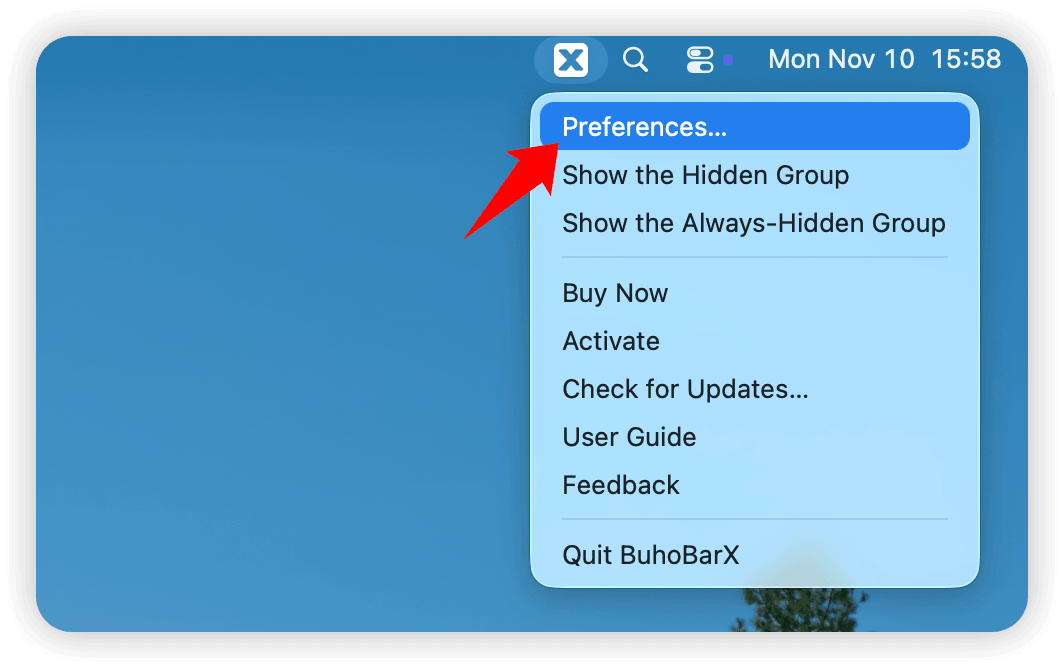
- Open BuhoBarX Preferences.
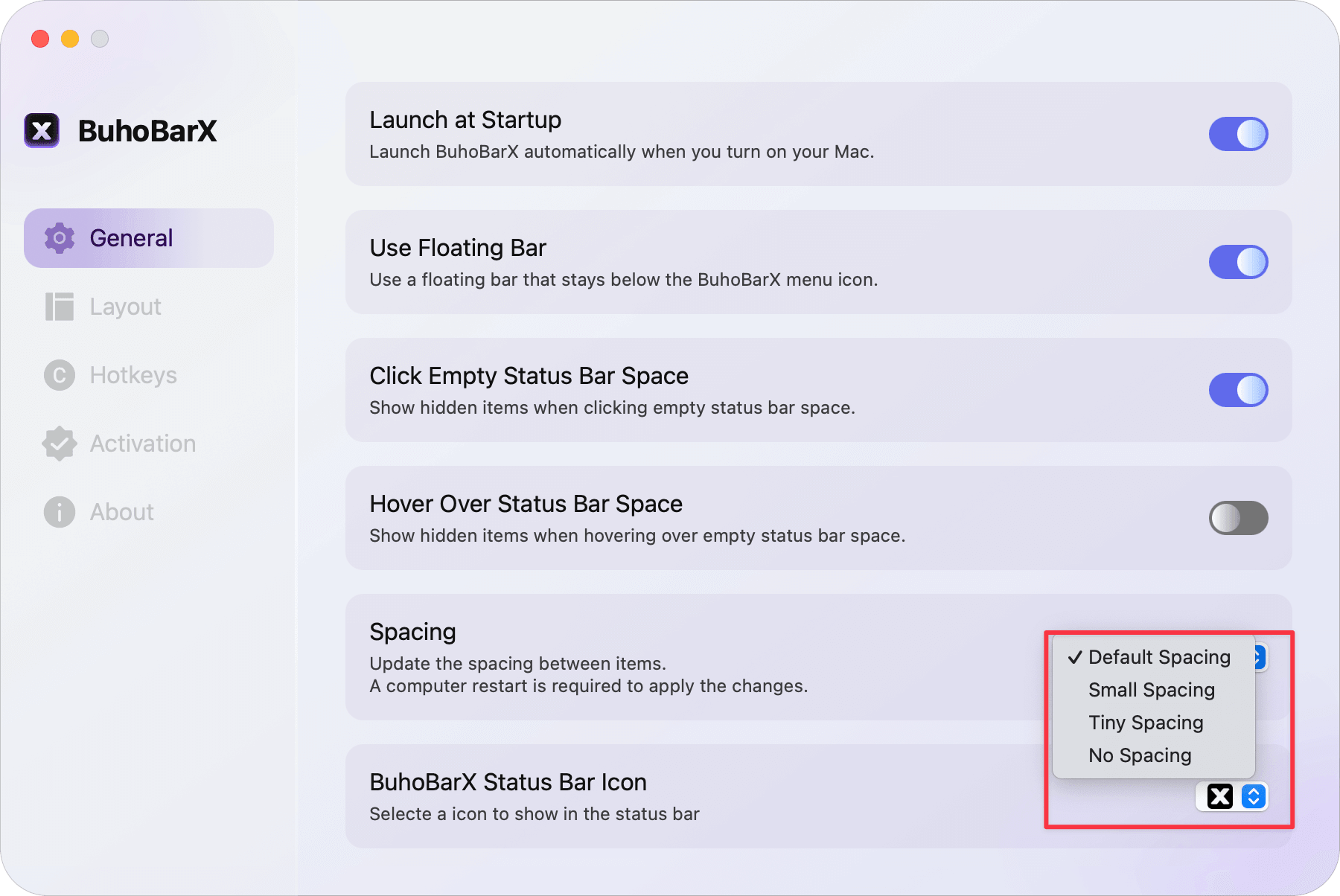
- Click General, then navigate to Spacing.
- Open the Spacing dropdown menu and change Default Spacing to Small Spacing, Tiny Spacing, or No Spacing.