Changing BuhoBarX Language
We aim to serve Mac users around the world by localizing BuhoBarX to support multiple languages.
Currently, you can use BuhoBarX in English, Japanese, French, German, Traditional Chinese, and Simplified Chinese. We plan to support more languages in the future. If you enjoy using our app and have some spare time to contribute, join us as a BuhoBarX Translation Volunteer!
How to Change the Language of BuhoBarX
To make things easier, BuhoBarX automatically selects its language based on your system’s region settings. However, you can also manually change the app’s language by following these steps:
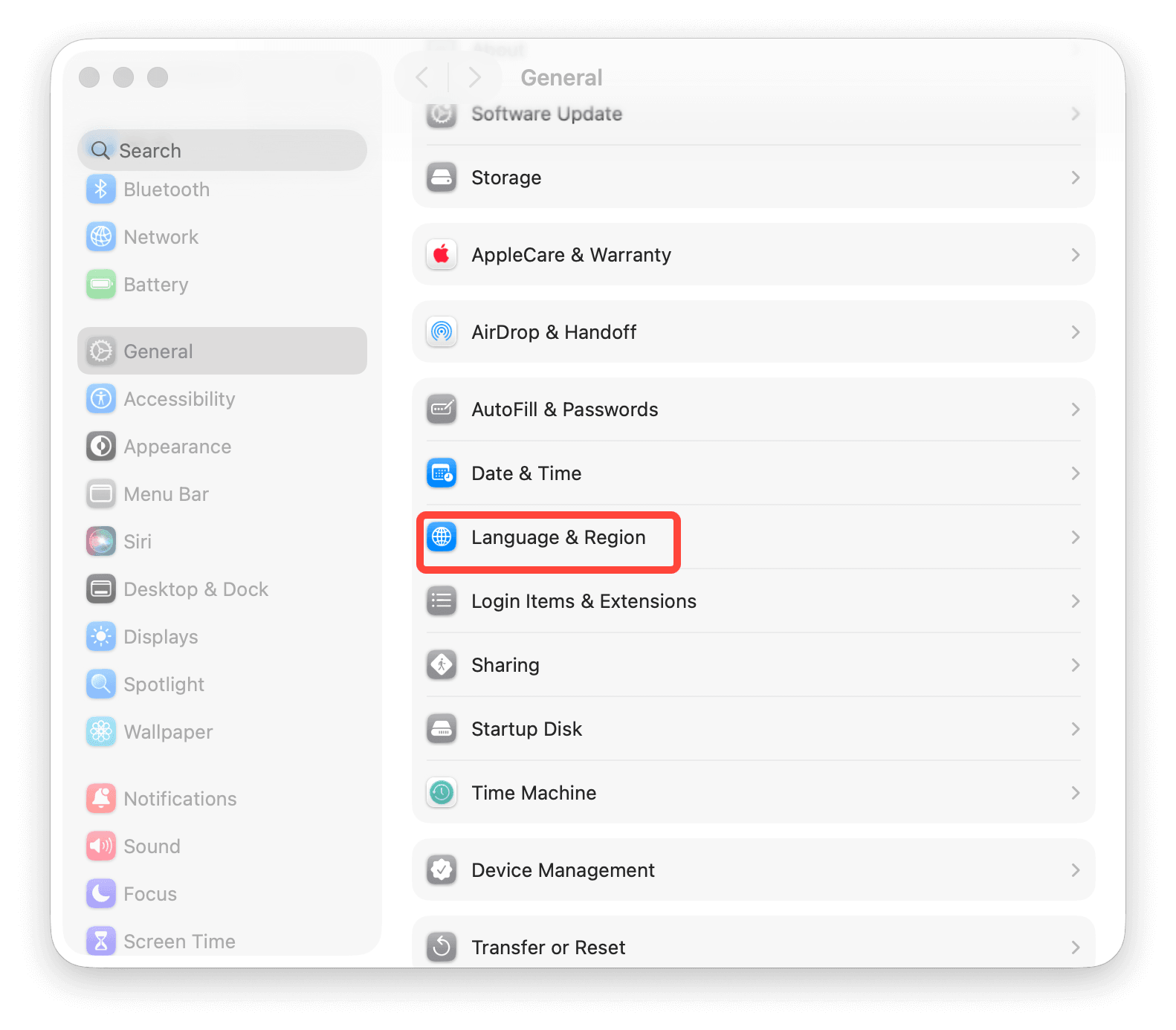
- Click the Apple menu and select System Settings.
- Go to General > Language & Region.
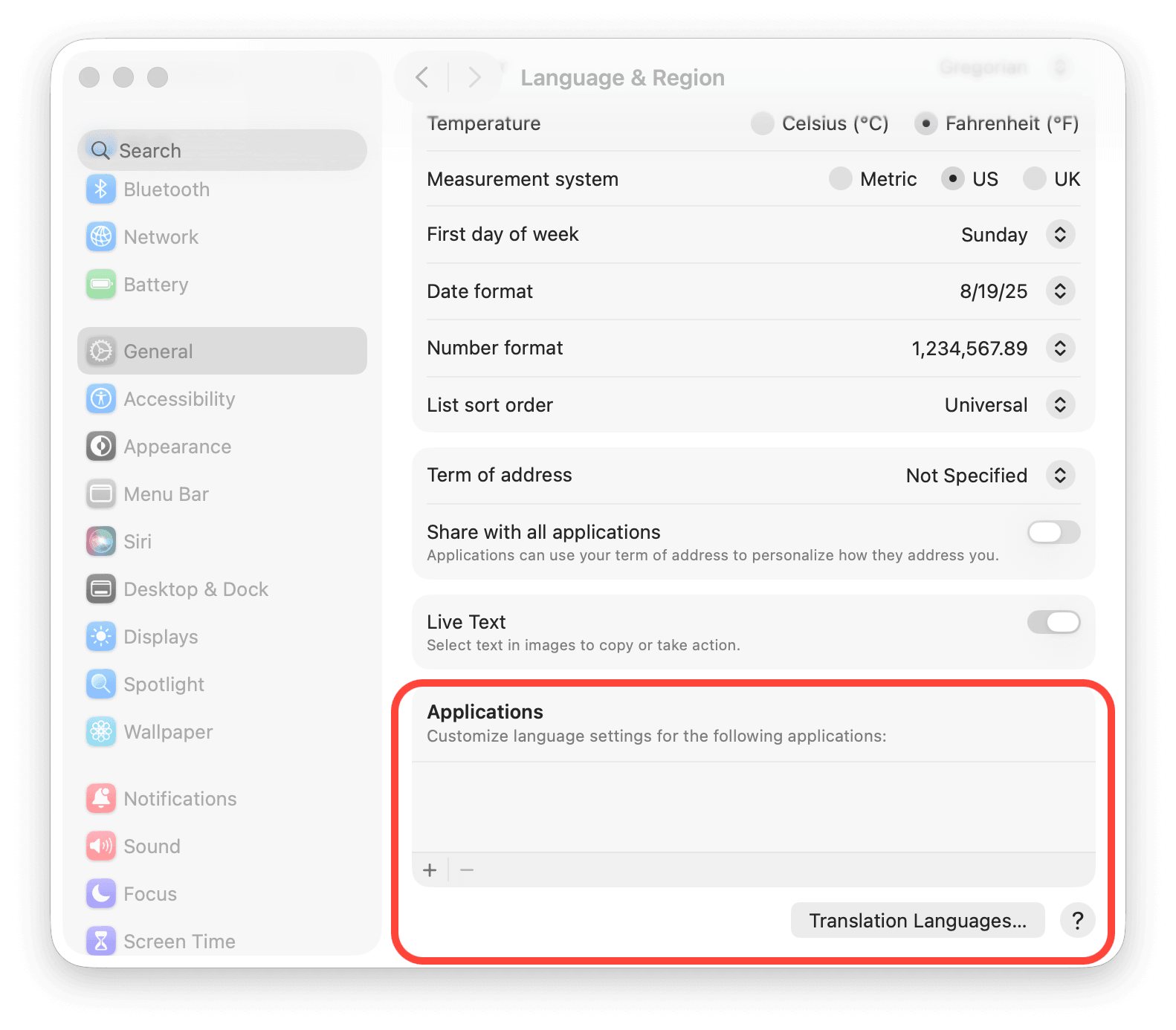
- Scroll down to the Applications section, then click the + button.
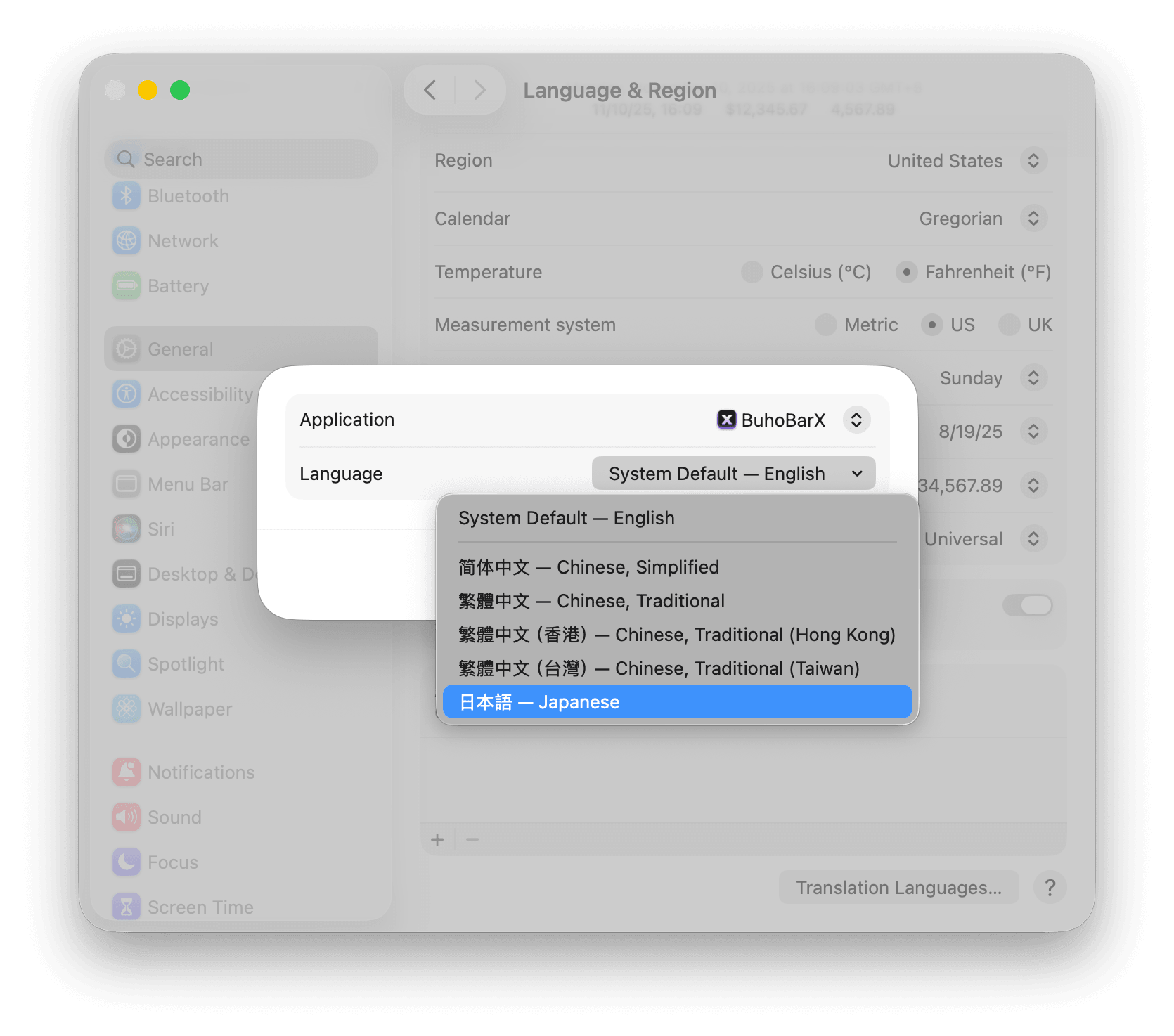
- Choose BuhoBarX, select your preferred language (for example, Japanese), and click Add.
- When prompted, click Relaunch Now to apply the new language.