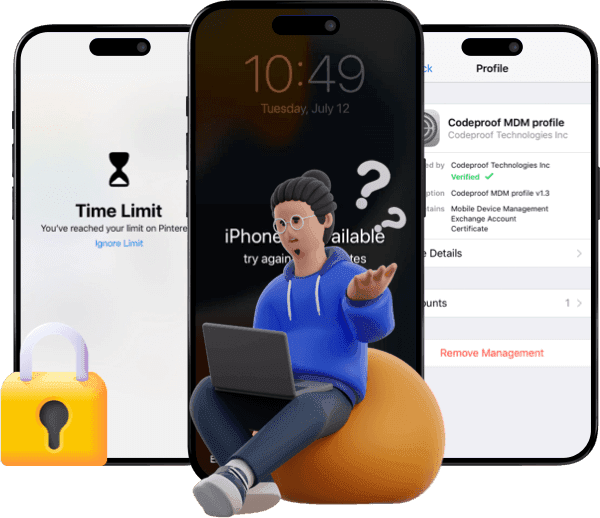
4 Popular MDM for iOS Devices in 2026

If you’re an administrator who needs to handle a group of iOS devices in your organization, explore MDM for iOS devices. With the MDM solution for iPhone, you can configure, monitor, and manage devices with ease.
If you happen to be within an organization responsible for the monitoring and management of a group of Apple devices, then you may need MDM solutions for iOS. On such platforms, you can configure iOS devices remotely, enforce policy, and monitor and manage iOS devices at scale.
Among the solutions available in 2026, we have picked the top 4. In this guide, we will point out some key features of them and show their integration with the Apple ecosystem. At the end of the review, you'll learn what MDM iOS solutions are suitable for your organization.

What Is an MDM Solution for iOS?
MDM (Mobile Device Management) software for iPhone provides an IT platform for centralized management of Apple devices such as iPhones and iPads. Organizational institutions, educational institutions, and businesses use this software to manage their Apple devices. Using this software, institutions can enroll their devices without requiring a touch, automate application installations, and implement security policies.
Top 4 MDM Solutions for iPhone and iPad
Apple doesn’t offer an MDM solution for you to download and purchase. However, it does provide an underlying MDM framework and services such as Automated Device Enrollment - via Apple Business Manager or Apple School Manager, and Apple Push Notification Service - APNs. Organizations should integrate third-party MDM platforms with the framework if it wants to remotely configure, secure, monitor, and manage a group of Apple devices.
NinjaOne
NinjaOne is one of the most effective MDM tools for iOS devices. With a comprehensive management tool for Apple devices, IT managers can remotely set device configurations, deliver apps, implement security policies, and check device compliance from a centralized location.


Key Features:
- Centralized management of iOS, iPadOS, Android devices, Windows, macOS, and Linux from one console.
- Remote app deployment, updates, and retry logic for failed installations.
- Remote device locking, wiping, and screen viewing for troubleshooting
- Track for lost or stolen devices.
- Provide security controls, such as the enforcement of a passcode and data encryption.
Editor’s Review:
NinjaOne stands out as a powerful MDM solution for iOS. This is because it supports managing many devices across multiple platforms. From automated device enrollment and management to security controls, it simplifies IT teams' administration work. However, you might need more time if you are a new administrator learning its advanced features. While it does well on Apple devices, the solution is less competitive for non-Apple endpoints.
Jamf
Jamf merely works on Apple environment. It helps organizations to set up and manage iPhones, iPads, and Macs with minimal manual intervention. As it provides robust automation, security policy enforcement, app distribution, and compliance monitoring, it becomes a top choice for businesses and educational institutions that rely heavily on Apple devices.


Key Features:
- Deploy devices via Apple Business Manager, Apple School Manager, and Automated Device Enrollment (ADE).
- Customize and manage enterprise apps, like installing apps and controlling updates.
- Remotely control iOS devices, like locking, wiping, restarting, and troubleshooting issues.
- Control users’ enrollment in BYOD scenarios.
- Monitor and manage the health and compliance of devices in real time.
- Implement restrictions on Apple Intelligence features.
- Manage Safari and customize the browser for the enterprise’s needs
Editor’s Review:
Jamf is ideal for businesses that heavily invest in Apple devices. It streamlines the process of deploying, monitoring, and managing devices, and it’s suitable for different sizes of organizations. As it’s always updated to the latest Apple OS releases, it can support the latest iOS and iPadOS versions.
Scalefusion
Scalefusion is a cloud-based MDM solution for iOS. It empowers IT admins to enroll, configure, monitor, and manage a fleet of iPhones and iPads with ease. No matter whether you’re in enterprises or educational institutions, you can manage 10+ supervised, unsupervised, or DEP devices at a time. More specifically, you can configure and restrict different applications, customize home screens, control OS updates, and more.


Key Features:
- Support for supervised, unsupervised, DEP-enrolled iPhones and iPads that are running iOS 10 or later.
- Remotely configure Wi-Fi, email, VPN, and other Settings.
- Install, uninstall, allow, deny, or distribute apps remotely.
- Control web access using allow and deny lists, and create shortcuts.
- Control the layout of the home screen, customizing wallpapers, setting lock screens, and arranging docks and icons.
- Control iOS or iPadOS updates.
- Enforce password policy and restrictions on devices, like disabling features or apps.
- Lock, factory reset, reboot, and wipe data from the devices via a central console.
- Track location and distribute files via an agent app.
- Manage device profiles, groups, and users at a large scale.
Editor’s Review:
Scalefusion works well for iOS, iPadOS, Android, Windows, macOS, and more. A dashboard, it makes device enrollment, app distribution, location tracking, and remote troubleshooting much easier. However, the downside is that it can be more complicated if you work on advanced configurations. For example, you should spend more effort customizing the deep workflow.
Kandji
Kandji (now rebranded as Iru) mainly supports managing a large number of Apple products. The key features involve zero-touch deployment, pre-existing “blueprints” for compliance, and automated remediation. Thus, it can reduce the amount of work that is manually required by IT administrators. As it seamlessly integrates with other Apple services, it’s regarded as an ideal solution for companies that configure a group of Apple devices.


Key Features:
- Deploy via Apple Business Manager for seamless enrollment of devices.
- Prebuilt “blueprints” and 150+ automations for app and policy deployment.
- Use template standards like CIS, HIPAA, NIST, and FedRAMP to achieve automated compliance and remediation.
- Extensively manage apps, such as arranging curated catalog and custom script integrations.
- Deliver fleet-wide reporting and analytics using the Prism feature that provides device status, OS versions, and installed apps.
- Perform remote device encryption, lock, wipe, and reassign tasks.
- Integrate with leading IT and security workflows: Okta, ServiceNow, AWS, and Google Workspace.
Editor’s Review:
Kandji is a proven MDM tool for a business because of its advanced security capabilities, such as endpoint detection and response, automated compliance, and vulnerability management. As a professional tool, Kandji really shines when working with Apple devices in volume, such as providing fast deployments, real-time reporting, and AI-powered insights.
Is It Possible to Remove MDM from iPhone?
It is possible for an IT to remove MDM from an iPhone or iPad. However, the success relies on the type of enrollment and ownership of the MDM profile: if it’s a personal device, its MDM profile can be removed by entering the password in Settings; if the supervised device is enrolled through Apple Business Manager, it might require admin credentials to permanently delete the MDM profile.
If you don’t know the password for the MDM profile restriction, or if you don’t see the “Remove” option on your iPhone screen, consider using BuhoUnlocker to bypass the profile. As a professional MDM bypassing tool, it makes the whole process much easier, and it won’t cause any data loss.


Here is how to bypass the MDM profile via BuhoUnlocker.
- Free download BuhoUnlocker and launch it on your computer.
- Select the Bypass MDM mode from the home screen and hit the “Bypass Now” to get started.
- Follow the instructions to bypass the MDM in minutes and restart your device.
Conclusion
Here are the top 4 most popular iOS MDM solutions for 2026. After a detailed analysis, which is your favorite?
As you can see, each solution has its own strengths and is designed for different use cases. All of them integrate well within the Apple ecosystem, supporting features such as streamlined device enrollment, app deployment, and policy enforcement. You can choose the option that best fits your needs and budget. Additionally, if you ever decide that you no longer need an MDM profile, you can remove it using BuhoUnlocker without losing your data.
Jerome is a passionate enthusiast of all things Apple. He is expertise in crafting tech-related articles, with a portfolio of more than 100 articles covering various Apple products like the iPhone, iPad, and Mac.