10 Best Mac Apps for Productivity in 2026 [Free & Paid]

Whether you are managing multiple projects at work, keeping up with coursework, or simply trying to stay organized in your personal life, these best productivity apps for Mac can help you save time, stay focused, and work more efficiently.
I first started searching for productivity-boosting software when I was juggling multiple projects at once, several of them up against tight deadlines. It quickly became clear that I needed a more efficient way to organize tasks and reduce time lost to inefficient workflows.
I tested a wide range of apps, and some quickly became daily essentials that I still rely on today, while others just didn't feel worth the time or effort to learn. Later on, when things slowed down a bit, I did more digging, watched reviews, and tested even more tools.
Based on that experience, I have put together a list of the best Mac apps for productivity that I genuinely recommend. Once you start using them, you will probably wonder how you ever worked without them.
![10 Best Mac Apps for Productivity in 2026 [Free & Paid]](/_next/image?url=https%3A%2F%2Fwww.drbuho.com%2Fstr-apiv4%2Fuploads%2Fbest_mac_apps_for_productivity_a6d4a33a63.png&w=3840&q=100)
Before Increasing Productivity on Your Mac
Boosting productivity often depends on automation and the right set of productivity apps. To run these tools smoothly in the background, your Mac needs enough free space and strong overall performance.
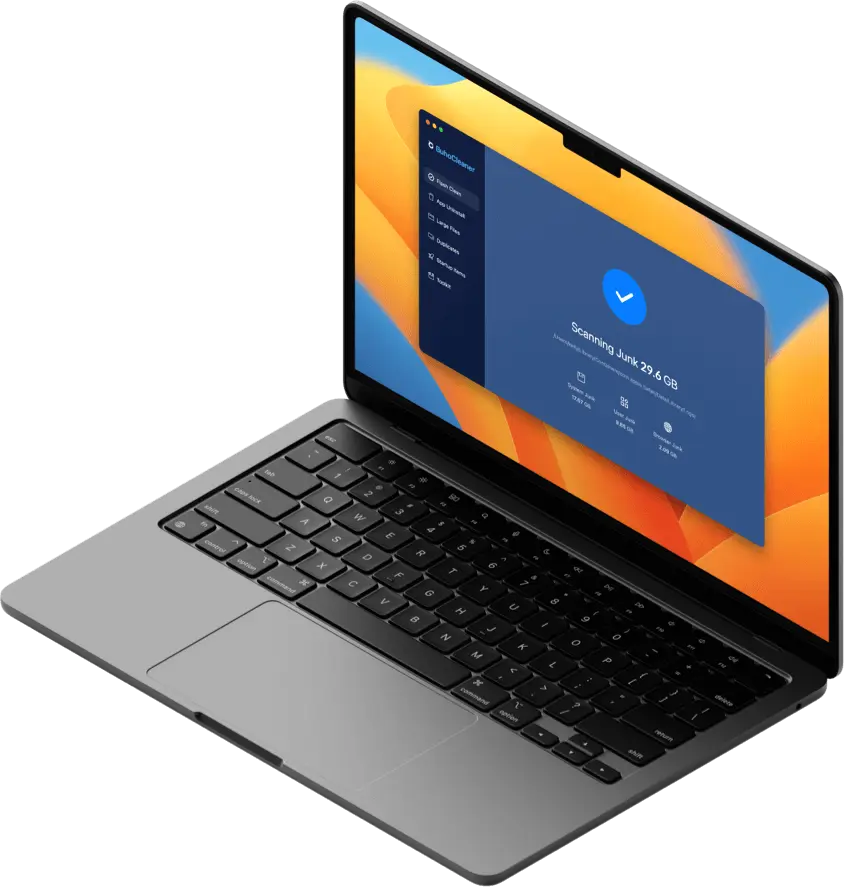
Before installing new productivity apps, it is a good idea to clean up your system first. Using BuhoCleaner to remove junk files and free up storage helps ensure your Mac runs at its best and is ready for anything you install next.


What BuhoCleaner Can Do:
- Quickly remove system junk files to keep your macOS clean
- Uninstall unused and unwanted applications without leaving leftovers
- Easily identify and delete large files to reclaim gigabytes of storage
- Delete duplicate documents, photos, videos, and more with one click
- Manage startup items in one place
- Free up RAM to release computing power instantly
Types of MacBook Productivity Apps
Productivity software is a broad category that includes a wide range of tools designed to improve efficiency, organization, and overall workflow. Different productivity apps support how you plan tasks, manage projects, and complete your work more effectively. Below are some of the most common types of productivity software for your MacBook.
Task and project management apps
These tools help you plan projects, set priorities, track progress, and manage deadlines, whether you are working alone or collaborating with a team.
Notes and organization apps
These apps are designed for capturing ideas, organizing information, and keeping important documents, notes, and references easy to find and manage.
Utilities and workflow apps
This software streamlines everyday tasks, automates repetitive actions, and improves how you interact with your system to save time and reduce friction.
Time and focus management apps
These programs help you monitor how you spend your time, minimize distractions, and maintain focus so you can work more effectively throughout the day.
Top 10 Best Mac Productivity Apps to Help You Work Smarter
Different tasks demand different tools, and the areas where efficiency can be improved aren't the same for everyone. For example, someone handling many documents may need apps for organizing files and quick searches, while those in frequent meetings or lectures may rely on note-taking and collaboration tools.
Because everyone's workflow is unique, there isn't a single set of the best productivity apps for Mac that will perfectly suit every user. However, the apps featured in this list (no particular order) have been carefully selected for their versatility and ability to improve productivity in the most common tasks on your Mac computer.
Top 10 Best Apple Apps for Productivity:
- 1Password for macOS - A secure password manager that stores passwords with autofill and password-sharing features.
- Hezel for Mac - An automation tool that organizes files and folders automatically based on custom rules.
- ChatGPT for Mac - An AI assistant that helps with writing, brainstorming, summarizing, generating ideas, and more.
- CleanShot X for Mac - A powerful screen capture and recording tool with annotation, scrolling capture, and sharing features.
- Todoist for Mac - An app for creating and managing to-do lists, prioritizing tasks, and tracking projects.
- Rectangle for Mac - An app for snapping windows to different screen layouts, improving multitasking and workflow.
- Grammarly - A writing assistant that checks spelling, grammar, and style, and offers suggestions for clearer, polished writing.
- Focus Bear for Mac - A simple distraction blocker that restricts access to non-work-related websites during focus sessions.
- Paste for Mac - A clipboard manager that keeps a searchable history of copied text, links, images, and files.
- BetterTouchTool for MacBook - A customization tool for trackpad gestures and the Touch Bar.
1Password for macOS
Nowadays, creating accounts and passwords is just part of using online services and apps. Everyone says not to reuse the same password, but keeping track of dozens of unique passwords while still being able to access them easily is easier said than done. It is so frustrating when a password won't work, and you have to reset it, or when you can't find your login info after rifling through a notebook or a jumble of notes.
I have also used free cloud-based password managers like iCloud Keychain and Google Password Manager, but they come with some notable drawbacks. For instance, iCloud Keychain is tightly integrated with the Safari browser, which means if I switch to a different browser, I lose autofill and password sync features.


1Password is a subscription-based password manager that has become my go-to solution for easy and secure password management. My transition to 1Password was smooth because I could migrate data seamlessly from other browsers and password managers.
I use it to generate strong, unique passwords for every account every day. Its autofill feature works like a dream and makes my logging in seamless across all major browsers and devices. It even lets me share passwords securely with my team or family using temporary, expiring links.
With 1Password, I don't have to spend time coming up with new passwords, hunting for old ones, or jotting them down anywhere.
Hazel for Mac
Improving productivity isn't just about working faster, and it also means spending less time searching for files on my Mac. That starts with better file management. While I occasionally use Mac cleanup tools to remove unused files and uninstall apps, I eventually discovered an automation tool that can manage files automatically using custom rules for each folder - Hazle.


Setting up this free file organization tool takes a bit of time, since you need to define rules for the folders you want to manage. But once everything is configured, it runs quietly in the background.
I have created several rules for my Downloads folder to keep it clean. For instance, files that haven't been opened in more than seven days are automatically moved to the Trash. I also use it to rename scanned files and move them into the appropriate folders, making them much easier to find later.
ChatGPT App for Mac
There is no denying that we have entered the AI era. A wide range of AI tools is now available, and many of them are well worth exploring. Depending on your needs, AI can assist with text, audio, image, and video creation or editing. Major platforms like Google Gemini and Microsoft Copilot are great examples, and I encourage you to take advantage of these tools whenever possible.


Personally, I use ChatGPT, which is called MacGPT on Mac, to reply to emails, summarize long reports, generate images for my blogs, create project templates, draft meeting itineraries, and support brainstorming sessions, among many other tasks. It feels like having a knowledgeable, always-available assistant. Not only does it improve productivity, but it also helps spark creativity and streamline everyday work.
CleanShot X for Mac
When it comes to creating tutorials or sharing what is happening on my screen, macOS's built-in screen capture tools simply aren't enough for me. Having to open every screenshot or recording in Preview just to make basic edits is disruptive.
CleanShot X for Mac completely changes that experience. It's a powerful time-saving tool packed with features that make screen capture, editing, and sharing fast and effortless. The instant overlay lets me annotate, crop, and mark up screenshots on the spot. The scrolling capture makes grabbing long pages possible and seamless. I can record my screen with adjustable aspect ratios, with highlighting mouse clicks during recordings, which is especially helpful for tutorials and demonstrations.


At $29, this is easily the best money I have spent on a productivity app. It is a one-time purchase, and honestly, it is an investment that pays for itself quickly.
Todoist for Mac
My work involves many long-term and overlapping projects, so staying on schedule and prioritizing tasks is essential. Simple to-do lists or calendars just don't go far enough. I needed a tool that would let me quickly add tasks, organize them efficiently, send timely reminders, and support collaboration with my team.


That is when I found Todoist. Its interface is clean, intuitive, and intentionally simple, which makes it incredibly easy to use. I don't want managing a to-do list to take a lot of time. After all, the whole point of a to-do app is to save time, not take more of it, isn't it?
I love how clearly I can visualize my week in the calendar view. If I need to adjust a due date, I can simply drag a task to a different time slot. Todoist also offers several built-in filters and lets me create custom filters, making it easy to manage my to-do list exactly the way I prefer.
Rectangle Pro for Mac
macOS lets you tile at most 4 windows on the screen, but for me, that is rarely enough. It is common for me to have far more than 4 windows open at once, sometimes even ten. Constantly switching between windows and manually resizing them just to keep everything visible is distracting and time-wasting.
The rectangle caught my attention, even though I am not usually a fan of keyboard shortcuts because they are hard to remember. I was skeptical at first, but this tool quickly won me over with features I now can't live without. I paid $9.99 for lifetime use, but I think the free version is good enough.


While I don't use every option, app layouts and Pin Mode are the features I rely on most, and they have completely changed how I manage windows on my Mac. For example, I can customize exactly how I want my open apps arranged on the screen. With just a few keystrokes, they automatically snap into predefined sizes and positions, allowing me to see everything at once. For an app I need to keep visible at all times, such as Calculator, I can pin it to the top of the screen so it is always in view. How wonderful!
Grammarly
I use the Grammarly browser extension on my Mac, though it also has a desktop app available. It works across most websites and online tools where I write, automatically checking my spelling and grammar as I type. It also suggests rephrases that help make my writing clearer and more natural.


Grammarly saves me a lot of time when writing emails, reports, comments, and notes. Instead of stopping to proofread everything, I can fix issues right away as I write. It is a simple and free tool to improve productivity and make everyday writing easier and more polished.
Focus Bear for Mac
I will admit that sometimes I spend more time browsing social media on my computer than actually working. When I need to focus on deep work, website ads tempt me to shop, and messages from friends constantly pull my attention away. While macOS does offer a Do Not Disturb mode and Focus settings to turn off or reduce notifications, I need more than that to truly stay on track.


I use the free Simple Mode by Focus Bear. For example, during a 25-minute deep work session, I can't access social media at all. If I try to open a site that FocusBear identifies as unrelated to work, it immediately blocks the page, shows a reminder, and prompts me to get back on task.
Paste for Mac
A clipboard manager does not sound exciting. Wait until you scream, "Oh my god, I copied over it!" and realize you can't get it back. Considering how often I copy and paste on a Mac every day, keeping a history of my clipboard is an obvious no-brainer for a productivity upgrade.


Paste maintains a searchable history of everything I copy, including text, links, images, and files. I can quickly search and retrieve past items whenever I need them. I can't imagine why I had to suffer before by missing out on a tool like this.
BetterTouchTool for MacBook
I only install BetterTouchTool on my work MacBook Pro because it gives me full control over trackpad gestures. Since I rarely use a mouse, having efficient and customizable gestures makes a big difference, especially for actions that are quick with a mouse but less intuitive on a trackpad. For example, I have set a four-finger tap to open my Projects folder and a three-finger swipe up to open a new tab in Google Chrome.


What I love even more is how BetterTouchTool transforms the Touch Bar on my MacBook Pro. Instead of being a purely decorative, useless strip, the Touch Bar becomes genuinely functional. I can customize it with app-specific buttons that trigger useful actions, turning it into a practical productivity tool rather than a wasted piece of hardware.
Conclusion
Mac comes with many powerful built-in tools that can greatly boost productivity if you learn to use them. For example, I rely on Apple Notes and Spotlight Search every day. That said, many native Mac tools lack features that enhance workflow, which is where third-party apps come in.
Some of the best free productivity apps for Mac include ChatGPT and Grammarly, while the best paid Mac apps for productivity go to 1Password and CleanShot X. If you own a MacBook, the must-have productivity app for MacBooks is BetterTouchTool.
I would love to know what Apple apps for productivity you can't live without. Share them with me, and together we can make work and study routines smoother and more efficient!
Cassie has been writing about technology for her entire career life - over 5 years. She enjoys diving into how Apple products work and then breaking it down in a way anyone can understand.