I Tested FonePaw iOS System Recovery and Here Are the Findings

In this FonePaw iOS System Recovery review, I discussed the key features and limitations of FonePaw iOS System Recovery. Based on the information, you’ll determine whether it’s worth trying.
I still remember the day I sought to upgrade my iPhone 14 to iOS 26. Suddenly, it got stuck at half of the progress, leaving me staring at a white, frozen screen with no response.
I knew I needed to get assistance from a reliable iOS system recovery tool. After reviewing the popular options in 2026, I picked FonePaw iOS System Recovery.
It quickly fixed the error and let it upgrade again. Afterwards, I gave FonePaw iOS System Recovery a test in all-around way.
In the following sections, I’d like to demonstrate how I tested FonePaw iOS System Recovery and share some valuable findings and information.

The First Impression of FonePaw iOS System Recovery
After downloading and installing FonePaw iOS System Recovery on my iPhone, I launched it on my computer and took a quick review of its main interface.


Differentiated from the common iOS system recovery tools, it mainly focuses on iOS system recovery, iPhone data recovery, and iOS data backup & restore. Thus, it was not as functional as other iPhone system repair software.
More specifically, it didn’t support entering and exiting recovery mode, upgrading or downgrading the iOS system, or resetting the iOS system with a single click.
Fix Common iOS System Issues without Data Loss
As my iPhone was stuck in the upgrade process, I decided to repair it using the iOS System Recovery mode.
Then I jumped to the function page, where it indicated what iOS system and iTunes it could repair. It divided the common problems into 4 aspects, ranging from device issues and screen issues, to iOS mode issues and iTunes issues.
However, it indicated that it could fix 50 issues without data loss. However, the quantity was far less than many other iOS system repair tools, which commonly claim to fix 150+ system issues and 200+ iTunes errors.

However, the advantage was that I could check whether it could deal with it before initiating the process. Then I checked out the specific features and clicked on the Start button.
Then I downloaded the firmware, and then it started the repairing process. Once the device had been repaired, it would restart in normal mode.
As I couldn’t test all the 50+ iOS system issues, I searched for forums, comments, and guides for this tool while writing this review. I wanted to see whether other users felt good about its feature.
I had some surprising findings in the guide - iPhone error 4013 and 4014. It was a guide for another tool - Passvers iOS System Recovery. It was noted that in the section “Restore iPhone Without iTunes with Passvers”, the screenshots of FonePaw iOS System Recovery and Passvers iPhone System Recovery were mixed.


I guessed Passvers iPhone System Recovery was developed from FonePaw iOS System Recovery, but the mixed information in the guide could confuse the users of both toolkits.
iPhone Data Recovery
Then I came to the featured functionality - iPhone Data Recovery. It claimed to recover deleted data from my device, iTunes, and iCloud backup. However, in fact, it had the same features as another professional iPhone data recovery tool - FonePaw iPhone Data Recovery.
It was confusing to find two toolkits that had almost the same features. It was worse that I had purchased one, but found that another one was more developed. I didn’t know whether this was because of the changes to their development plans.
Considering I was testing FonePaw iOS System Recovery, I decided to use it to recover data from iCloud.
Then I followed the steps to sign in to my iCloud account and recover data from one of the iCloud backups.

Although it was possible to restore iCloud and iTunes backup via the FonePaw iOS System Recovery tool, I was worried about the leakage of iCloud account credentials and other data-related information.
Therefore, if I wanted to restore deleted data from the device itself, I would give FonePaw iOS System Recovery or FonePaw iPhone Data Recovery a try, but if I needed to restore an iCloud or iTunes backup, I would simply log in to the iCloud or iTunes.
Backup and Restore iOS Data
Finally, I decided to test how it could work as an iPhone backup & restore toolkit. To better keep the data security, I used another test iPhone that didn’t have much important data.
After connecting it to my computer, I opened the software and chose the iOS Data Backup & Restore model, and chose iOS Data Backup.

I started with a standard backup, because there were no passwords or health data, and I didn’t need an encrypted one. Then I ticked the data, such as photos, contacts, and notes.
In the end, I chose a save path and waited for the backup to complete.
It could be used as an alternative to iCloud or iTunes when you want to establish a backup. However, I was worried whether my backups would be deleted or lost if the company developed another tool, like the FonePaw iOS Data Recovery tool, to replace it.
Why I Chose BuhoRepair as an Alternative to FonePaw iOS System Recovery
As you can see, FonePaw iOS System Recovery was not a pure iOS System Recovery tool. It was also bundled with other features like deleted iOS data recovery, iOS data backup, and restore. This may confuse and depress users who simply want to fix, upgrade, downgrade, or reset their iOS systems, because it cannot upgrade, downgrade, or reset the iOS or iPadOS except for fixing 50 common issues.
What confused users more was that it derived these features and developed them into new software, like Passvers iOS System Recover and FonePaw iPhone Data Recovery. Both the old software and the new one had the same features, which weren’t responsible for the users who had paid for the old one.


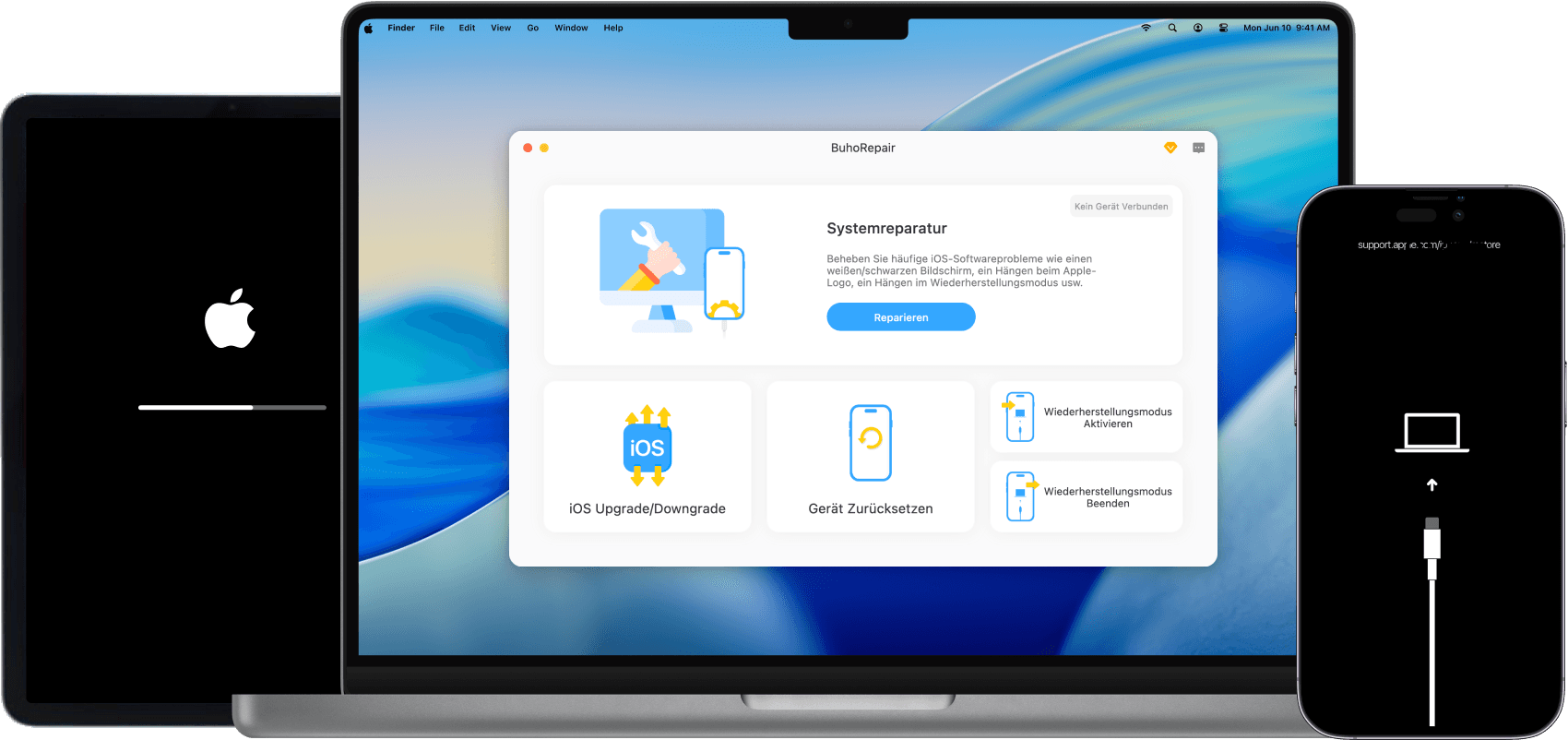
Considering these factors, I cannot wait to switch to a reliable iOS System Recovery tool - BuhoRepair. This all-in-one iOS system repair tool has been developed for many years, and it aims to repair a wide range of iOS issues, upgrade and downgrade iOS, reset iDevices, and enter or exit Recovery Mode in one click.
More importantly, it is always updated and compatible with the latest iOS version and Apple models. Whenever I have questions about the software, I can get a timely response and assistance from its sales team. This makes me quite confident when using it for a long run.
Conclusion
It is not recommended to give FonePas iOS System Recovery a try. This old version of the iOS System Repair tool can only fix 50+ common iOS issues, but it can’t support the latest Apple models and iOS versions.
On the other hand, the developers have derived and developed the key features in FonePas iOS System Recovery to tools like Passvers iOS System Recovery and FonePaw iPhone Data Recovery, so they will spend less time and effort upgrading and maintaining FonePas iOS System Recovery.
If you’re looking for an iOS system recovery tool for the long run, you can purchase BuhoRepair. This all-in-one iOS system recovery tool allows you to fix, reset, upgrade, and downgrade iOS with simple clicks.
Clare has been captivated by the world of Apple products since the launch of the iconic iPhone in 2007. With a wealth of experience, Clare is your go-to source for iPhone, iPad, Mac, and all things Apple.