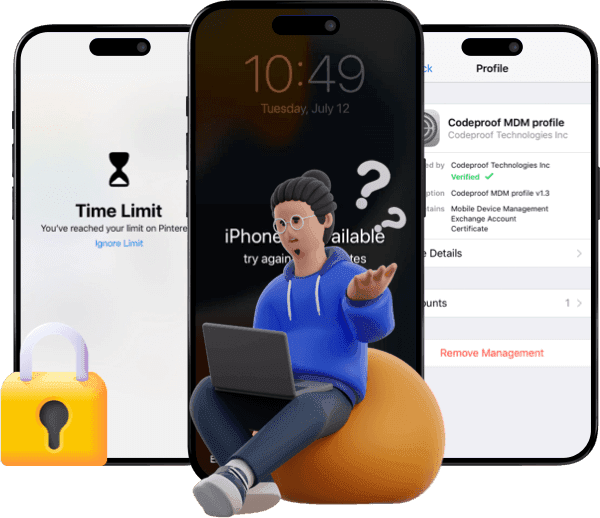
I Tested Ultfone iPhone Unlock and Here Are My Findings

Read the Ultfone iPhone Unlock review, explore its key features and limitations, and determine whether it’s a trustworthy iOS unlocking tool for your needs.
I like testing and reviewing toolkits for iOS devices. Last week, I rolled up my sleeves and engaged in a versatile iPhone unlocking tool, namely Ultfone iPhone Unlock.
As Ultfone iPhone Unlock offers a wide range of unlocking features, I selected the most commonly used ones to test.
From removing screen locks to bypassing Screen Time passcode, I’m going to demonstrate how this toolkit could remove various iOS locks with ease. After freely installing Ultfone iPhone Unlock, I retrieved my test Apple devices, launched the software, and began testing the main features.

Unlock Screen Passcode
On the home screen, I saw a group of unlocking features. Among these features, the most popular one was unlocking the screen passcode.
I clicked on the “Unlock iOS Screen" mode. It indicated that it was standard for removing 4/6-digit, Face ID, or Touch ID passcodes.
Then I chose to download the firmware package in line with my iPhone model before initiating the process.


Next, it automatically erased the screen passcode as well as the data on my device. I spent about 6 minutes removing my screen passcode. It was OK to lose data as I could restore from my iCloud backup.
Removing the screen passcode with Ultfone iPhone Unlock was like wiping your iPhone, but it didn’t require you to enter the Apple ID password. However, if you care about data loss, check whether you have a backup in advance.
Remove Apple ID
Next, I wanted to test how it could unlock a second-hand iPhone. Many users were bothered by the Apple ID and iCloud lock when they were trying to set it up. If you were in a similar situation, hitting the wall at the “Apple ID & Password” activation screen, keep reading and find out how the Ultfone could get you out of the dilemma.
I connected another iPhone that was tied to another Apple ID to the computer. And I clicked on the “Remove Apple ID” mode from the screen.

Since I hadn’t enabled Find My iPhone, I could click “Next” to continue. And the tool would automatically handle the process, downloading firmware and entering the recovery mode. And the good news was that it didn’t erase the data on my device.
Instead, if your device model was above iOS 11.4 and the Find My feature was enabled, you failed to use this feature. If your iPhone was below iOS 11.4 and the Find My feature was on, you should follow the instructions to reset settings.
Considering the limitations on iOS version and the status of “Find My iPhone”, you should check whether the “Find My” feature is disabled and whether the software supports your Apple model.
Bypass iCloud Activation Lock
After removing my previous Apple ID credentials, I encountered the next hurdle that I was stuck at the iCloud Activation Lock screen during the setup.
I relaunched Ultfone and selected “Remove iCloud Activation Lock. Then I followed the prompts to enter recovery mode.

It instructed me to make a temporary jailbreak, download the firmware, and bypass the iCloud lock. As the whole process was more complicated, it took about 10 minutes to finish the task.
Until I had bypassed the iCloud lock, my iPhone restarted as a fully-unlocked device. Now, I could create a new Apple ID and restore from my iCloud backup.
Although Ultfone supports bypassing iCloud Activation Lock, it comes with notable limitations. Primarily, it worked on older A7-A11 chip models, such as iPhone 5S to X, up to iOS 16.x. Instead, it failed to work on newer A12+ devices like iPhone XS or later due to enhanced security.
Therefore, you should check out whether it supports your Apple model before making a purchase and initiating the process.
Remove MDM Profile
The next target was a company device. I got an iPhone that was still supervised by an MDM profile. Due to the MDM restrictions, I couldn’t install apps, change settings, or even wipe the device.
As there wasn’t a “Remove” button to bypass the MDM profile, I turned to Ultfone iPhone Unlock. On the main interface, there was exactly a “Bypass MDM” option.

I selected “Start,” and the tool quickly detected the profile. Following the steps, I jailbroke my device without data loss.
Then it was quick to remove the MDM restrictions in 5 minutes. When the device restarted, it became unsupervised.
Now, I could reset it to factory settings, sign in with my own Apple ID, and turn it into my new everyday phone.
Although it claimed to work on the latest iOS 26 and iPadOS 26, it typically supported iOS 18 and below. Besides, it might fail on heavily customized enterprise enrollments via Apple Business Manager/DEP. Moreover, it wasn’t a permanent bypass, which means the ID admins could potentially reapply the MDM profile remotely.
Unlock Screen Time Passcode
Last but not least, I decided to use it to remove the parental controls for my teenager. I had set up a Screen Time passcode, leaving the device locked with restrictions blocking app downloads, web access, and even extending downtime.
We didn’t like to perform a factory reset as it would wipe photos and schoolwork. Alternatively, I fired up the Ultfone iPhone Unlock on my laptop.
I connected the iPad to the computer via a USB cable and chose the “Remove Screen Time Passcode” from the menu.

Again, it relied on a jailbreak. Meanwhile, I should know the screen passcode, and I should have also turned off the Find My iPhone feature. After getting well-prepared, I started the procedure. It took about 3 minutes to clear the Screen Time lock. And all the data was still here.
Nevertheless, it might only work on a simple Screen Time passcode. If you’re blocked by some advanced parental setups or enterprise-managed Screen Time profiles, you might use other tools.
Why I Used BohoUnlocker as an Alternative to Ultfone iPhone Unlock?
When I failed to apply Ultfone iPhone Unlock on the latest iOS 26, I turned to BuhoUnlocker. This professional can do what it promises to work on iOS 26. The interface of BuhoUnlocker is simpler as it mainly focuses on 4 unlocking modes: unlock screen passcode, remove Apple ID, bypass MDM profile, and unlock the Screen Time passcode. During my review process, BuhoUnlocker worked flawlessly across all four of these features.


More importantly, the lifetime license for BuhoUnocker was $29.99, lower than the starting price of Ultfone - $45.95. Considering the compatibility and cost-effectiveness, I recommend you give BuhoUnocker a shot!
Conclusion
After running UltFone iPhone Unlock, I think it’s a reliable and comprehensive iPhone unlocker. However, some features might not work on certain iOS versions, especially the latest iOS 26. Thus, remember to check the supported Apple models and iOS versions before making a purchase and initiating the process. Meanwhile, you may need to turn off the Find My iPhone feature if you want to use features like removing your Apple ID.
If you’re looking for a more cost-effective solution that supports the latest iOS 26, you can give BuhoUnlocker a try. This professional can meet the most common iOS unlocking needs, such as removing screen passcode, Apple ID, MDM profile, and the Screen Time passcode.
Robert is a tech-savvy fan who loves all things Apple. As a hobbyist of gardening and meditation, he is also a seasoned writer covering a wide array of Apple products, like iPhone, iPad, iOS, and more.