7 Best Mac Apps for Ex-Windows Users in 2026

if you are an ex-Windows user who just switched to Mac devices, this post covers the 7 best Mac apps that help you go through a smooth transition.
Moving from Windows to macOS is exciting, but the first week can feel weird. Trust me, I’ve been through exactly what you are dealing with. Storage fills up faster than expected, files don’t behave the same way, and some basic Windows habits suddenly become nothing.
This guide is built specifically for ex-Windows users and focuses on practical apps that help Windows switchers have everything under control. Let’s dive in!
Quick Picks: The Best Mac Apps for Windows Users
If you want the short version, these are the categories most Windows users care about first:
- System cleanup & speed up: BuhoCleaner
- Window management (Windows-style snapping): Rectangle
- Clipboard manager: Paste
- Multi-media player: IINA
- NTFS drive read/write support: BuhoNTFS
- Archiver app: Unarchiver
- Menu bar icon organization: BuhoBarX
Now, let’s break it down with why it matters for Windows-to-Mac users.
BuhoCleaner


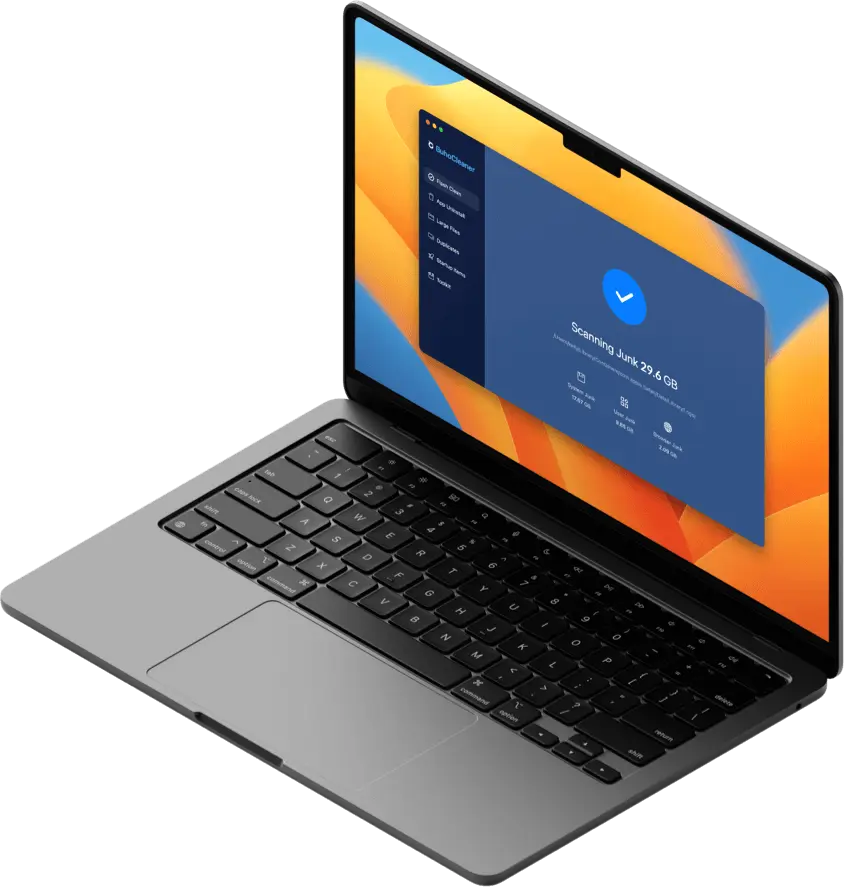
When Windows users move to Mac, one of the first surprises is how fast System Data, caches, old installers, and hidden junk can grow. macOS is smooth, but it still accumulates clutter over time, especially if you install or uninstall lots of apps while testing your new setup.
BuhoCleaner is the kind of app most Windows users instantly understand: it helps you free up Mac space, remove junk, and keep your Mac running clean without digging through macOS folders manually. It offers the following advantages:
- Clears caches, logs, temporary files, duplicates, and any other unnoticed garbage on your Mac.
- Uninstall apps and their leftovers thoroughly, without leaving a trace.
- Manage system startup items to run your Mac more smoothly.
Rectangle


For many Windows switchers, the biggest productivity shock is window management. On Windows, snapping with Win + Arrow keys is pure muscle memory. On macOS, split view exists, but it often feels slower, less flexible, or simply different from what Windows users are used to.
Rectangle fixes that immediately by bringing Windows-style snapping and keyboard-driven window control to macOS. The result is immediate: your Mac starts behaving the way your hands already expect. Here’s what Rectangle does for you:
- Windows-like snapping: Move windows to the left half, right half, maximize, or corners in seconds.
- Keyboard-first workflow: Great if you prefer shortcuts over dragging windows with the mouse or the trackpad.
- Better multitasking: Perfect for spreadsheets and browsers, writing and research, email and documents.
Paste


Most Windows users rely on copy-paste constantly, especially for work, school, research, and messaging. But on macOS, the default clipboard is essentially one item at a time. If you copy something new, the old thing is gone. That can feel surprisingly limiting when you’re switching systems.
Paste, however, gives you a clipboard history so you can copy freely and retrieve anything later. It’s one of those clipboard managers that becomes part of your daily workflow within 24 hours.
- Clipboard history: Saves past copies so you can recover text, links, and images anytime.
- Searchable and organized: Quickly find that sentence or URL you copied earlier.
- Pin and favorite important clips to keep frequently used snippets (addresses, templates, links) always available.
IINA

Windows users often have a go-to media player that handles almost anything, including videos, subtitles, odd formats, you name it. On Mac, QuickTime is clean and simple, but it isn’t always the best choice when you need broad format support and smooth subtitle control.
IINA is widely loved because it feels like the modern, Mac-native version of a universal player. It’s free, open-source, fast, and built for everyday playback without headaches. It offers the following features:
- Better format compatibility: Plays many common video formats more smoothly than the default options, such as .mkv, .wmv, .ass, and more.
- Subtitle-friendly: Easier subtitle loading and switching for movies, courses, and foreign content.
- Audio track control: Quickly switch between multiple audio tracks, which is pretty useful for multilingual videos.
BuhoNTFS
If you’re coming from Windows, there’s a high chance your external drives are formatted as NTFS, and you will continue using them on your new Mac. NTFS-formatted drives are normal in the Windows world, but they can be a problem on macOS. You can read files, but writing to the drive is not going to work by default. That’s the moment BuhoNTFS comes in.
BuhoNTFS solves this by enabling NTFS read/write support on Mac, letting you keep using your existing drives without reformatting. Writing to NTFS drives on Mac means you can delete, move, and edit files just like on Windows devices. Plus, BuhoNTFS also works as a disk management tool.
If you are one of those Windows users who rely on NTFS external drives and want a friction-free Mac workflow, BuhoNTFS is the right NTFS for Mac tool.
The Unarchiver


On Windows, having an archiver app is basically assumed. RAR, 7Z, TAR, and other formats show up everywhere. On Mac, ZIP is usually fine, but once you start downloading tools or receiving files from coworkers, you’ll quickly run into archives that don’t extract cleanly with built-in options.
As the name suggests, the Unarchiver is a simple, free archive/unzip app for macOS. It’s used to extract (uncompress) files on macOS, basically the Mac equivalent of tools like 7-Zip or WinRAR on Windows. It offers:
- Supports common Windows formats: Especially helpful for RAR and 7Z files.
- Double-click to extract: The whole workflow is very close to what Windows users expect.
- Less friction with shared files: Great for teams where people still send compressed files.
BuhoBarX
On Windows, you’re used to a taskbar with flexible space and hidden icons. On macOS, however, the top menu bar can become crowded fast, especially after you install lots of apps (cloud drives, screen recorders, VPNs, messengers, etc.). And if you’re using a Mac with a notch, the available menu bar space can feel even tighter.
Too many menu bar icons can be confusing, distracting, and sometimes lead to icons disappearing from the menu bar. If you prefer a well-organized, flexible, and clear Mac menu bar, BuhoBarX solves all the trouble with these capabilities:
- Hide or rearrange menu bar icons to reduce clutter.
- Instantly access hidden icons by hovering over or clicking the menu bar.
- Rearrange icons and fine-tune their placement with simple drag-and-drop controls.
- Customize icon spacing to avoid overcrowding or uneven gaps.
App Comparison Table: Best Mac Apps for Windows Users
| App | Category | Key Benefits | Best For |
|---|---|---|---|
| BuhoCleaner | System cleanup & speed | Junk cleanup, duplicate removal, app uninstall, and startup item management | Keeping a new Mac fast and clean |
| Rectangle | Window management (snapping) | Keyboard-based snapping, quick tiling, and multitasking layouts | Anyone who multitasks with multiple windows |
| Paste | Clipboard manager | Clipboard history, search, and organization | Heavy copy/paste workflows (work, study, content) |
| IINA | Multimedia player | Broad playback support, smoother subtitle handling, modern UI | Watching courses, movies, and subtitle-heavy content |
| BuhoNTFS | NTFS read/write support | NTFS read/write on Mac, disk management features | Anyone using NTFS external SSDs/HDDs/USB drives |
| The Unarchiver | Archive app | RAR/7Z support, double-click extraction | Opening shared/downloaded archives from Windows users |
| BuhoBarX | Menu bar organization | Hide/show menu bar icons, drag-and-drop reorder, spacing control | Users who want a clean, organized Mac menu bar |
Wendy is a tech enthusiast with a deep passion for all things iPhone, iPad, and Mac. Wendy is always on the lookout for Apple products and is committed to providing Apple users with some of the latest information and useful tips.