iOS 27 vs. iOS 26: What’s New and What’s Better

iOS 27 is positioned as a refinement of iOS 26. Before upgrading to iOS 27, find the key improvements and main differences in this post.
Apple announced iOS 27 on June 8, 2026, a major iPhone update following iOS 26. The new iOS version focuses more on performance, AI-powered features, and day-to-day usability. Then you may ask whether it’s worth upgrading to iOS 27.
In this guide, we’ll take a closer look at the improvements in iOS 27, what Apple models are likely to get the update, and the main differences between iOS 27 and iOS 26. Accordingly, you can decide whether to switch now or stay on iOS 26 a little longer.
Which iPhones Will Get iOS 27?
iOS 27 is compatible with iPhone 11 and newer series. It also works with iPhone SE (2nd generation and above). However, if you want to enjoy some Apple Intelligence features, you should use an iPhone 15 Pro or later.


What’s New in iOS 27?
The biggest improvements in iOS 27 are the Siri AI upgrade and new Apple Intelligence features across core apps.
New Siri AI with Onscreen Awareness


- Siri combines personal context, onscreen awareness, and web knowledge to deliver more natural conversations and more valuable answers.
- The Siri app provides ChatGPT-like features, such as back-and-forth conversations, file and photo uploads, and chat history that syncs privately across devices via iCloud.
- You’ll see a new “Search or Ask” interface when swiping down on the Dynamic Island. It will show Siri suggestions for apps, searches, and notes.
- The new Siri mode in the Camera app allows you to point your camera at items to get info like nutrition labels, ingredients, contact details, and even add events from flyers.
Apple Intelligence Across Core Apps
In iOS 27, Apple also expands its AI integration across various apps, including Photos, Safari, Messages, and Mail. The list goes on.
- In Photos, Apple Intelligence will bring some really interesting features like Spatial Reframing, which lets you manipulate the layout of your photos, and an updated Clean Up tool that's better than ever at stripping out distractions and making your pics look more natural.
- In Safari, Apple Intelligence will bring tab groups, but this time organised around topics, so you can find what you need quicker. It will also notify you when items you’ve been browsing go on sale or come back in stock. And you'll be able to create your own extensions using plain old natural language.
- In Messages, Apple Intelligence will start understanding the context of your whole conversation. Thus, it can suggest actions or even provide ideas on how to respond.
- Similarly, in Mail, you can expect to see more intelligent suggestions for replies - these are going to be super helpful in keeping your inbox under control. Plus, you'll get the choice to sort your most important messages to the top and have your AI-powered email summarizer give you an at-a-glance view of what's in the rest of your inbox.
iOS 27 vs. iOS 26 - What Are the Differences?
Beyond Siri AI and Apple Intelligence, iOS 27 has also improved the design and overall performance. Meanwhile, it has introduced other powerful features. In this chart, you will see a more detailed comparison of iOS 27 and iOS 26.
| Key Features | iOS 27 | iOS 26 |
|---|---|---|
| Supported iPhone Models | • Also supports iPhone 11 and newer models, but CPU scheduler improves responsiveness on iPhone 11 and iPhone SE (2nd generation) • Supports newer devices | • Supports iPhone 11 and newer models |
| Siri & AI | • Siri AI with on-screen awareness, personal context, and web knowledge • Dedicated Siri app with ChatGPT-like conversations and iCloud-synced history | • Basic Apple Intelligence features • Siri with limited AI capabilities |
| Liquid Glass | • Liquid Glass slider can adjust transparency • Icons feature a Liquid Glass texture | • Introduced the Liquid Glass design • Gives buttons, menus, icons, and widgets a glass-like appearance |
| Performance | • Apps launch 30% faster • New photos load 70% faster • AirDrop and file transfers are 80% faster • Smoother switching between Wi-Fi and cellular networks | • Faster than previous iOS versions |
| Photos | • Spatial Reframing and Extension • Upgraded Clean Up for more natural distraction removal | • Standard editing tools |
| Messages | • Context-aware suggestions for actions and responses | • Standard messaging features |
| Camera | • New Siri mode in Camera can scan nutrition labels, ingredients, contacts, and create events from flyers | • Standard camera interface and settings |
| Search | • Restructured search across Spotlight, Photos, and Mail with on-device indexing | • Standard Spotlight, Photos, and Mail search |
| Shared Albums | • Android and Windows users can join shared albums and view photos in full resolution | • iCloud Shared Albums |
| Health | • Advanced cycle tracking, including menopause and perimenopause support | • Basic cycle tracking |
| AirPods | • Custom EQ for personalized sound profiles | • Standard EQ settings |
| Parental Controls | • Enhanced controls, including Ask to Browse, Time Allowances, app schedules, child account conversion, and expanded Communication Safety | • Basic parental controls |
| Screen Time | • Redesigned for smarter device management and parental oversight | • Existing Screen Time controls |
| Widgets | • Extra-large widgets that can fill an entire Home Screen grid (excluding the dock) | • Standard widget sizes |
| Lock Screen | • Time can be positioned beside the date at the top, freeing up more wallpaper space | • Traditional time and date layout |
| Sounds | • Separate volume controls for ringtones, alarms, timers, and system alerts | • Linked volume controls |
| Weather | • Real-time precipitation intensity and wind speed displays | • Standard weather information |
| Clock | • Workday-style holiday and make-up workday alarms for Chinese holiday schedules | • Standard alarms without automatic holiday/workday scheduling |
Is It Worth Upgrading to iOS 27?
After exploring the key improvements in iOS 27, you may be wondering whether upgrading from iOS 26 to iOS 27 is worth it.
Currently, Apple has released the developer beta version of iOS 27. If you’re interested in its AI and other new features, or if you’re a developer who seeks to test its new features, you can give iOS 27 a try. The current feedback shows that this beta version is better than iOS 26.
However, if you’re using iOS 26 now, or if you’re a normal iPhone user, you can wait until iOS 27’s stable release in mid‑September. Generally, the better AI, speed, and Liquid Glass design in the public version make iOS 27 a worthwhile upgrade.
How to Upgrade/Downgrade/Fix the iOS 27 System?
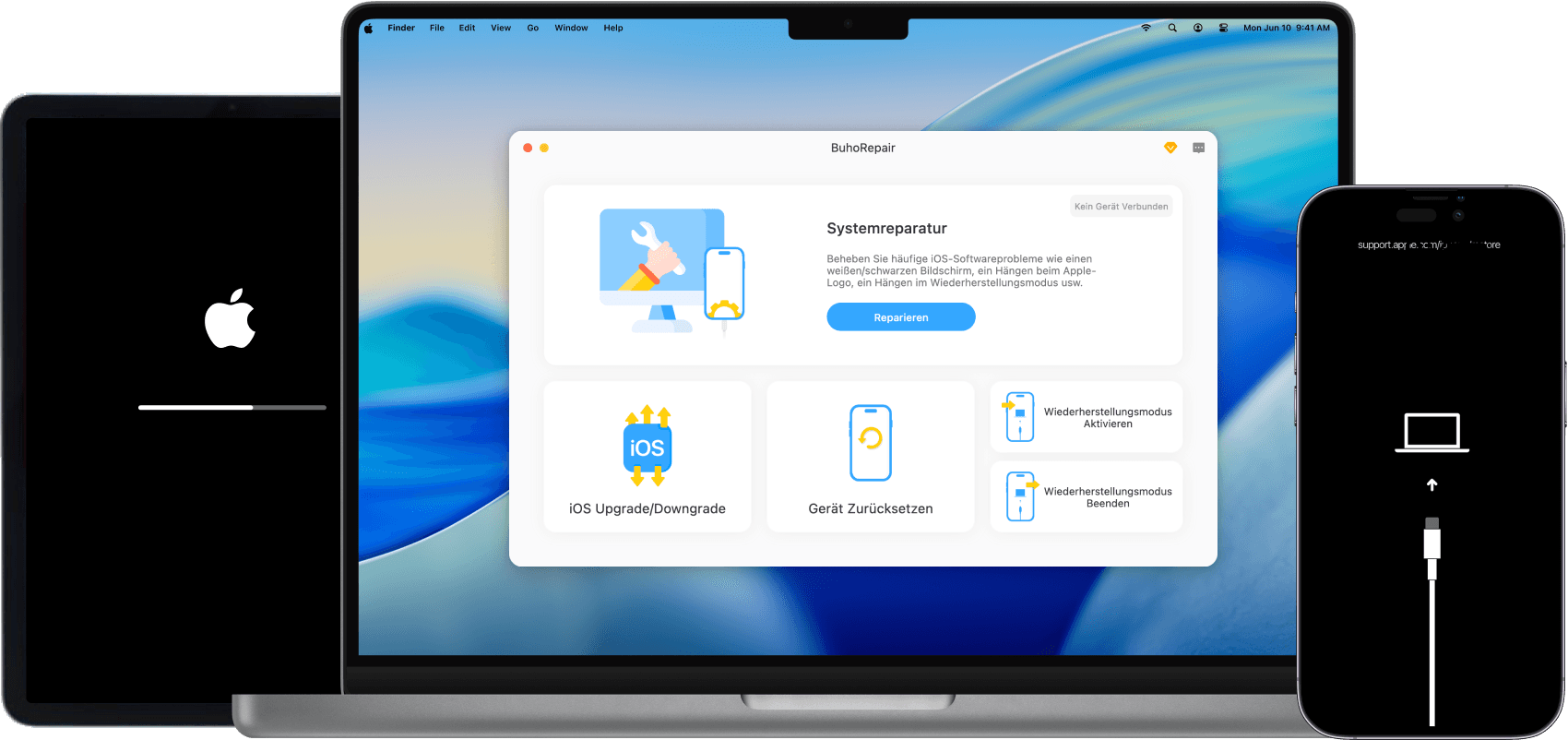
It’s common to encounter issues while checking for updates, preparing for updates, verifying updates, and even after updates. If you’re facing iOS 27 system issues, you can address the issue with BuhoRepair.


You don’t need to rely on iTunes to get your iPhone and iPad back to normal. This professional iOS system repair tool can help you resolve various system-related issues like being stuck on the Apple logo, a disabled screen, boot loops, or other software glitches. Under the standard mode, it won’t cause any data loss. And you can get a deeper fix under the Deep Repair mode.
Beyond fixing common iOS system issues, BuhoRepair also allows you to upgrade and downgrade iOS, enter and exit Recovery Mode, and reset your device before selling it.
Conclusion
Compared with iOS 26, iOS 27 appears to spare more effort on Siri AI and Apple Intelligence. Rather than a normal redesign, iOS 27 also prioritizes smoother performance, better stability, and a more polished system experience.
If you’re interested in these improvements, you can upgrade to iOS 27. If not, you can wait for a while. Remember to equip your iPhone with BuhoRepair, as it can revert the iOS system whenever there is an issue. If you’re unhappy with the new system, you can also downgrade it with BuhoRepair.
Living in Chengdu, Kelly is an Apple technician focused on Mac, iPhone, and iOS repairs. Meanwhile, he's also a columnist at Dr.Buho, with a simple mission to help fix Apple things that are with software or hardware glitches.